Setting Up The Environment
First, We need to set up we environment. Create a new directory for our project, initialize a new Node.js project, and install the required packages. Here’s how we can do this:
sudo npm install -g express-generator@latest
express --view=ejs myapp-api
cd myapp-api
npm install --save mysql2
If we are using TypeScript, we will need to install @types/node.
npm install --save-dev @types/nodeCreate MySQL Database and Table
Now We want to create a new database and users table. Open our GUI database tools and create database and users table:
Create Database:
CREATE DATABASE rest_api_db;
Create users Table:
CREATE TABLE users (
    id INT AUTO_INCREMENT PRIMARY KEY,
    firstname VARCHAR(50) NOT NULL,
    lastname VARCHAR(50) NOT NULL,
    username VARCHAR(50) NOT NULL UNIQUE,
    email VARCHAR(100) NOT NULL UNIQUE
);
Create config to Connect to MySQL Database
Next, we need to connect to the MySQL database. To do this, we need to install a MySQL driver for Node.js, such as mysql2, and use it to connect to our database. Now create a folder and file in path config/index.js
// config/index.js
const mysql = require('mysql2/promise');
  async function Connection() {
    try {
        const connect = await mysql.createConnection({
            host:'localhost',
            user: 'user DB',
            password:'pass DB',
            database: 'rest_api_db'
        });
        return connect;
    } catch (error) {
        console.log(error);
    }
 }
 module.exports = Connection;
Create Services to Organize MySQL DB
Next, We need to create a services folder to handle function to organize database, So we not use query through in routes folder. Now create a services folder and file in path services/usersServices.js and also import database config
// services/usersServices.js
const Connection = require("../config/index");

async function getListData(limit = 10, page = 1) {
  const conn = await Connection();
  const offset = page == 0 ? 0 : (page - 1) * limit;
  const [rows] = await conn.query(`SELECT * FROM users LIMIT ? OFFSET ?`, [
    limit,
    offset,
  ]);
  return rows;
}

async function getDetailData(id) {
  const conn = await Connection();
  const [rows] = await conn.query("SELECT * FROM users WHERE id = ?", [id]);
  return rows[0];
}

async function createNewUser(newData) {
    const connection = await Connection();
    const [result] = await connection.query('INSERT INTO users SET ?', newData);
    return result;
}

async function updateUser(id, newData) {
  const connection = await Connection();
  const [result] = await connection.query("UPDATE users SET ? WHERE id = ?", [
    newData,
    id,
  ]);
  return result;
}

async function deleteUser(id) {
  const connection = await Connection();
  const [result] = await connection.query("DELETE FROM users WHERE id = ?", [
    id,
  ]);
  return result;
}

module.exports = {
  getListData,
  getDetailData,
  updateUser,
  deleteUser,
  createNewUser,
};
As above code, we create a file services function for Read, Update,Delete and Udpate , If we have some services we can create in this folder and then we can use later in routers
Create Router for rest API
Next, We need to create a router for rest API. Now create a routes folder and file in path routes/users.js
// routes/users.js
var express = require("express");
var router = express.Router();
const { getListData,createNewUser, getDetailData,updateUser,deleteUser } = require("../services/usersServices");

/* GET Method */
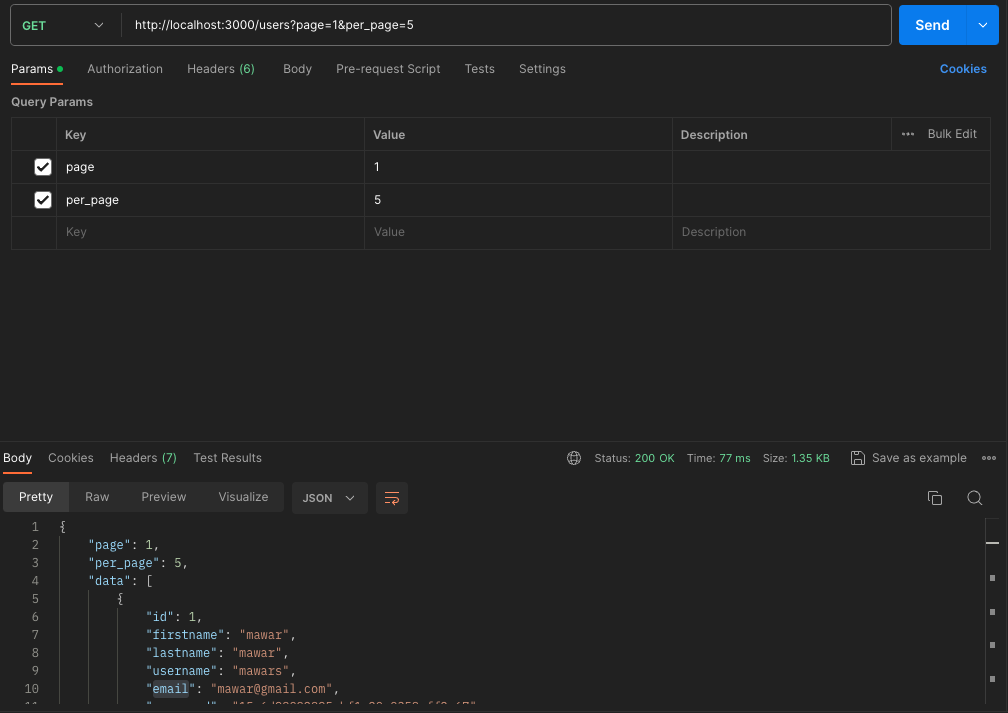
router.get("/", async (req, res, next)=> {
  const limit = parseInt(req.query.per_page);
  const offset = parseInt(req.query.page);

  try {
    const users = await getListData(limit, offset);
    res.send({ page: offset, per_page: limit, data: users });
  } catch (error) {
    console.log(error);
    res.status(500).send("Server errorss");
  }
});

/* POST New Data */
router.post('/', async (req, res) => {
  try {
  const newUser = await createNewUser(req.body);
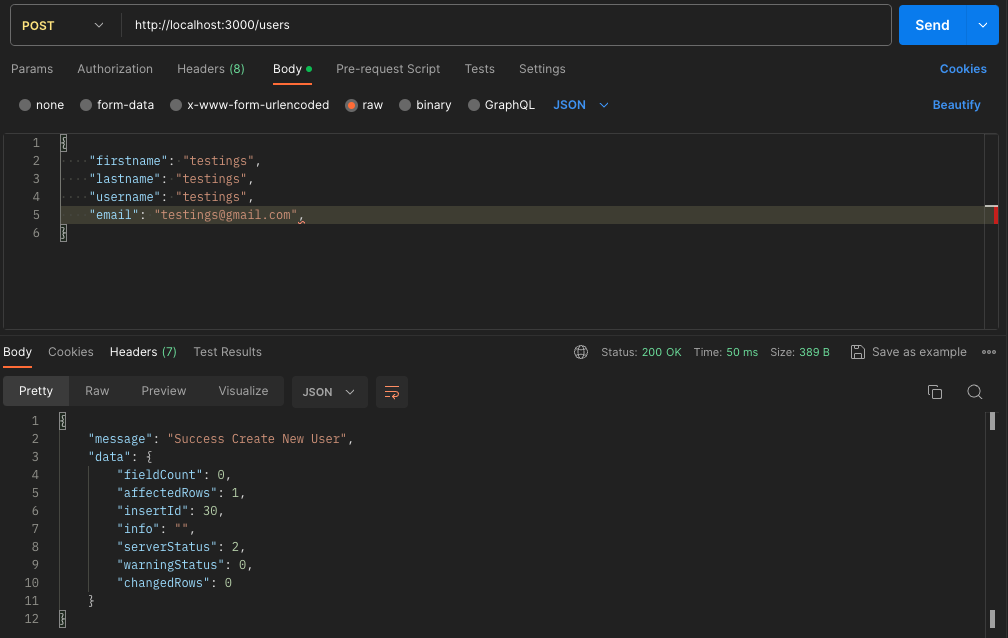
  res.send({ message: "Success Create New User", data:newUser});
  } catch (error) {
  console.log(error);
  res.status(500).send('Server error');
  }
 });

// Detail Data
router.get("/:id", async (req, res) => {
  const idUser = req.params.id;
  try {
    const user = await getDetailData(idUser);
    res.send({ message: "detail data", data:user});
  } catch (error) {
    console.log(error);
    res.status(500).send("Server error");
  }
});
/* PUT Method */
router.put("/:id", async (req, res) => {
  try {
    const input = req.body;
    const id = req.params.id;
    const updatedUser = await updateUser(id, input);
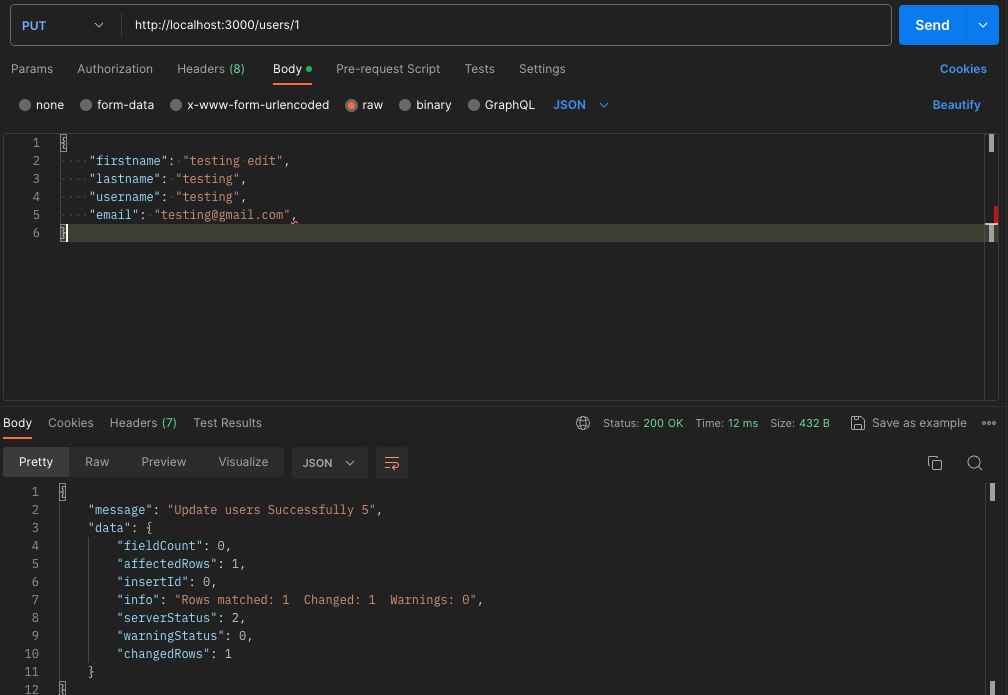
    res.send({ message: "Update users Successfully " + id, data: updatedUser });
    } catch (error) {
    console.log(error);
    res.status(500).send('Server error');
    }
});

/* DELETE Method. */
router.delete("/:id", async (req, res, next)=> {
  try {
    const idUser = req.params.id;
    const updatedUser = await deleteUser(idUser);
    res.send({ message: "Deleted users ! " + idUser, data: updatedUser });
    } catch (error) {
    console.log(error);
    res.status(500).send('Server error');
    }
});
module.exports = router;
In users routes above, we create rest api to handle CRUD of users table.
Finally we import our route in app.js:
// app.js:
/*-----another code------*/
var indexRouter = require('./routes/index');
var usersRouter = require('./routes/users');
app.use('/', indexRouter);
app.use('/users', usersRouter);
/*-----another code------*/
Now running App:
npm run startNow we can access rest api with postman:
Post New Data
GET List Users
Update Data
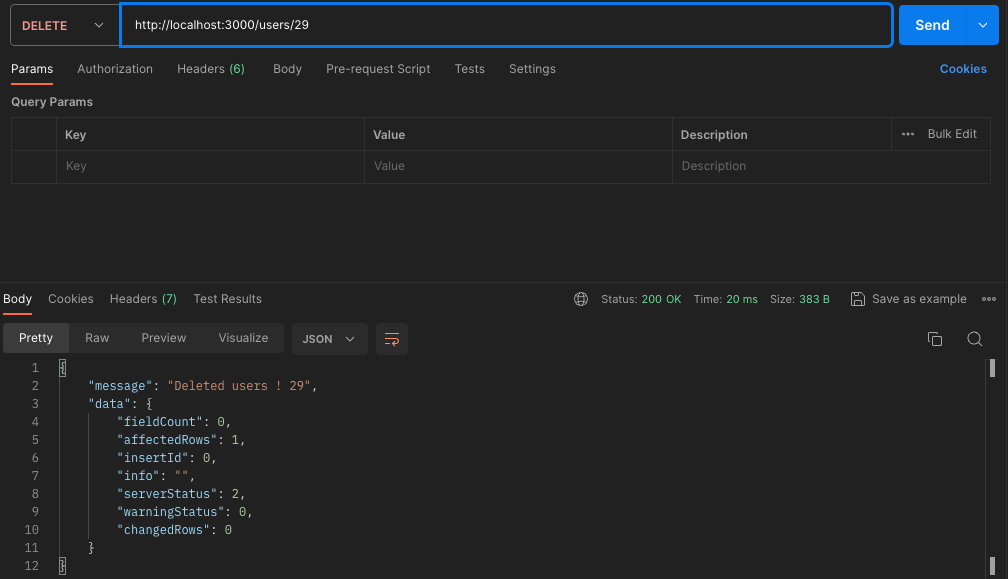
Delete Data
Happy Coding!
