Express.js is a popular Node.js web application framework that provides a robust set of features for web applications.
In Express.js, We can define routes using different HTTP methods such as GET, POST, PUT, DELETE, etc.
Here’s an example of how to define a route Method:
// Get method
app.get('/', function(req, res) {
 res.send('Hello World with get method!');
});

// Post method
app.post('/', function(req, res) {
  res.send('POST request');
});

// Get with Route Parameters
app.get('/users/:userId', function(req, res) {
  res.send('User ID is: ' + req.params.userId);
});

// Put Method
app.put('/user', (req, res) => {
  res.send('Got a PUT request at /user')
})

// Delete Method
app.delete('/user', (req, res) => {
  res.send('Got a DELETE request at /user')
})
Create a Simple Routes
For an Example, depends on Our Project Express, Create a file route named users.js in routes directory, then use code below:
// routes/users.js
var express = require('express');
var router = express.Router();

/* GET Method */
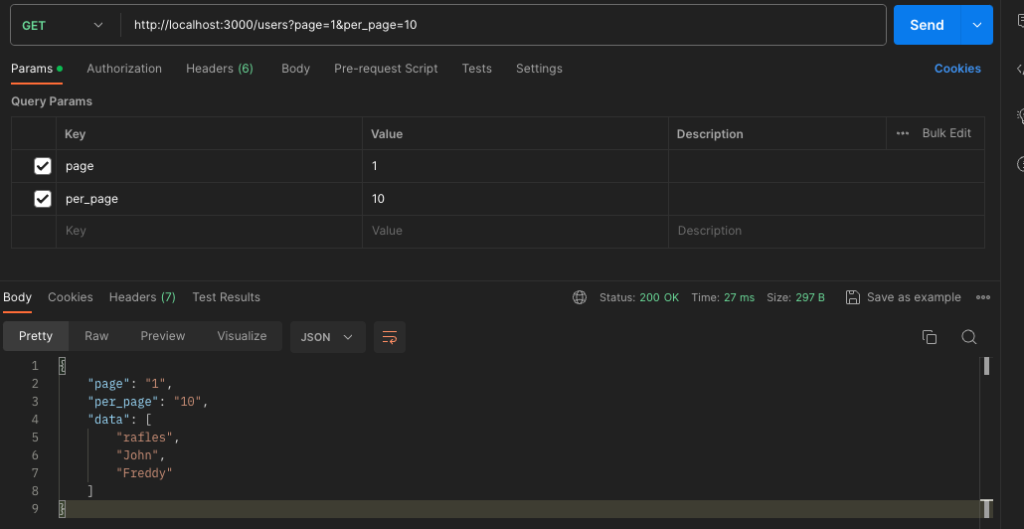
router.get('/', function(req, res, next) {
  const query = req.query;
  res.send({ page: query.page, per_page: query.per_page, data: ['rafles','John','Freddy'] });
});

/* POST Method */
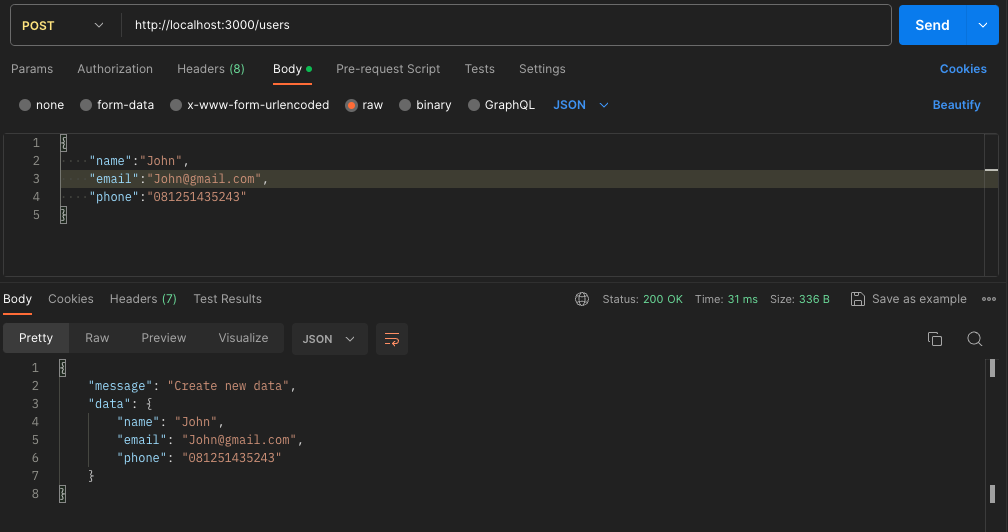
router.post('/', function(req, res, next) {
  const input=req.body;
  res.send({message:'Create new data', data: input });
});

/* PUT Method */
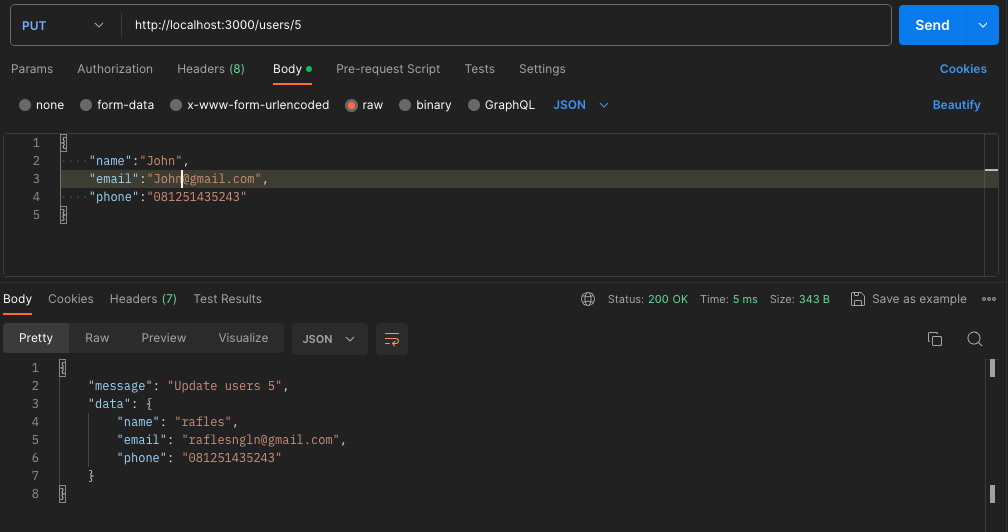
router.put('/:userId', function(req, res, next) {
  const input=req.body;
  const userId = req.params.userId;
  res.send({message:'Update users '+userId, data: input });
});

/* DELETE Method. */
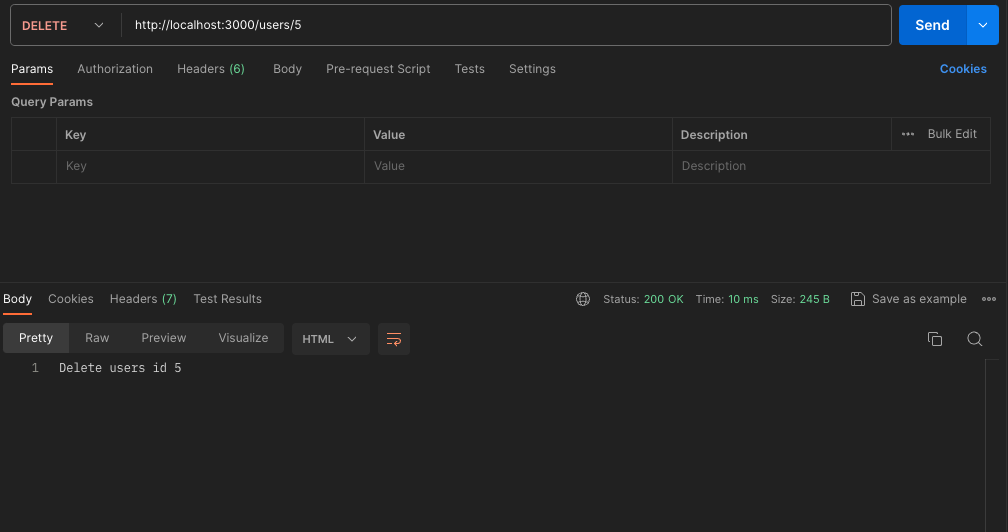
router.delete('/:userId', function(req, res, next) {
  const userId = req.params.userId;
  res.send('Delete users id '+userId);
});

module.exports = router;
Now we can Import these routes in file app.js. But Before we can access the req.body object, we need to use a middleware to parse the request body. Express.js does not parse the request body by default. We must use express.json() to parse body.
// app.js
var usersRouter = require('./routes/users');
..........
app.use(express.json());
app.use('/', indexRouter);
app.use('/users', usersRouter);
............
Now we can access these routes with an API tools like Postman:
GET method
POST Method
PUT Method
Delete Methode:
In an Advance, We can apply these routes to a real REST API using a database
Happy Coding!
